ShoStorage Engine — Self-Hosted Storage Server Platform
Licensed deployment software that turns your bare-metal or VPS Linux server into a ShoStorage Engine deployment — not the hosted SDrive end-user product.
Automate SFTP, SSH, FTPS, WebDAV, Samba SMB, and S3-compatible APIs with quotas, snapshots, and WHMCS lifecycle provisioning.
View License Plans$
Per storage server license *19
.99/mo
ShoStorage Engine vs hosted SDrive
ShoStorage Engine is software you license and install on your Linux server — you operate the control plane, ZFS pools, and tenant lifecycle (often via WHMCS shostorage).
SDrive is ShoHost's managed Storage Box hosting for end users (monthly plans, unlimited traffic, client portal at sdrive.shodns.in). Same protocol ideas; different purchase and deployment model.
What You Deploy On Your Server
ShoStorage Engine installs under /usr/local/storagebox/ with admin and user panels, API ports, and scripted provisioning for hosting providers.
Multi-Protocol Storage
Publish the same tenant volumes over SFTP, SSH, FTPS, WebDAV, SMB, and S3-compatible endpoints from one control plane.
Snapshots & Quota Isolation
ZFS Storage Hub quota management, snapshot versioning, sub-user ACLs, and per-tenant connection limits.
WHMCS Automation
Pair with the shostorage provisioning module for create, suspend, unsuspend, terminate, and SSO into the user panel.
Operator panel (ShoStorage Engine)
ZFS hubs, packages, services, accounts, and live monitoring — for your team, not end customers.
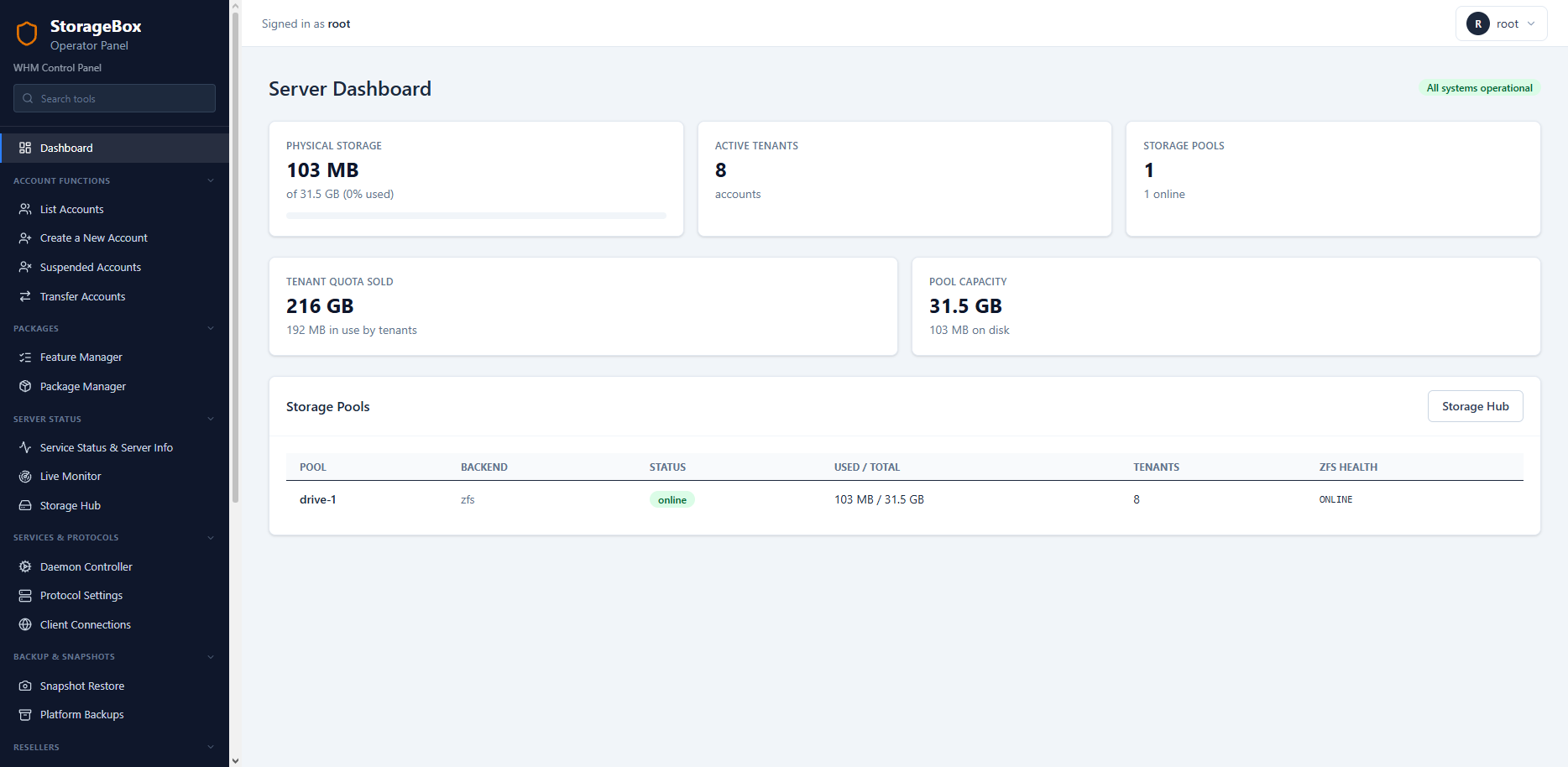
ShoStorage Engine operator dashboard
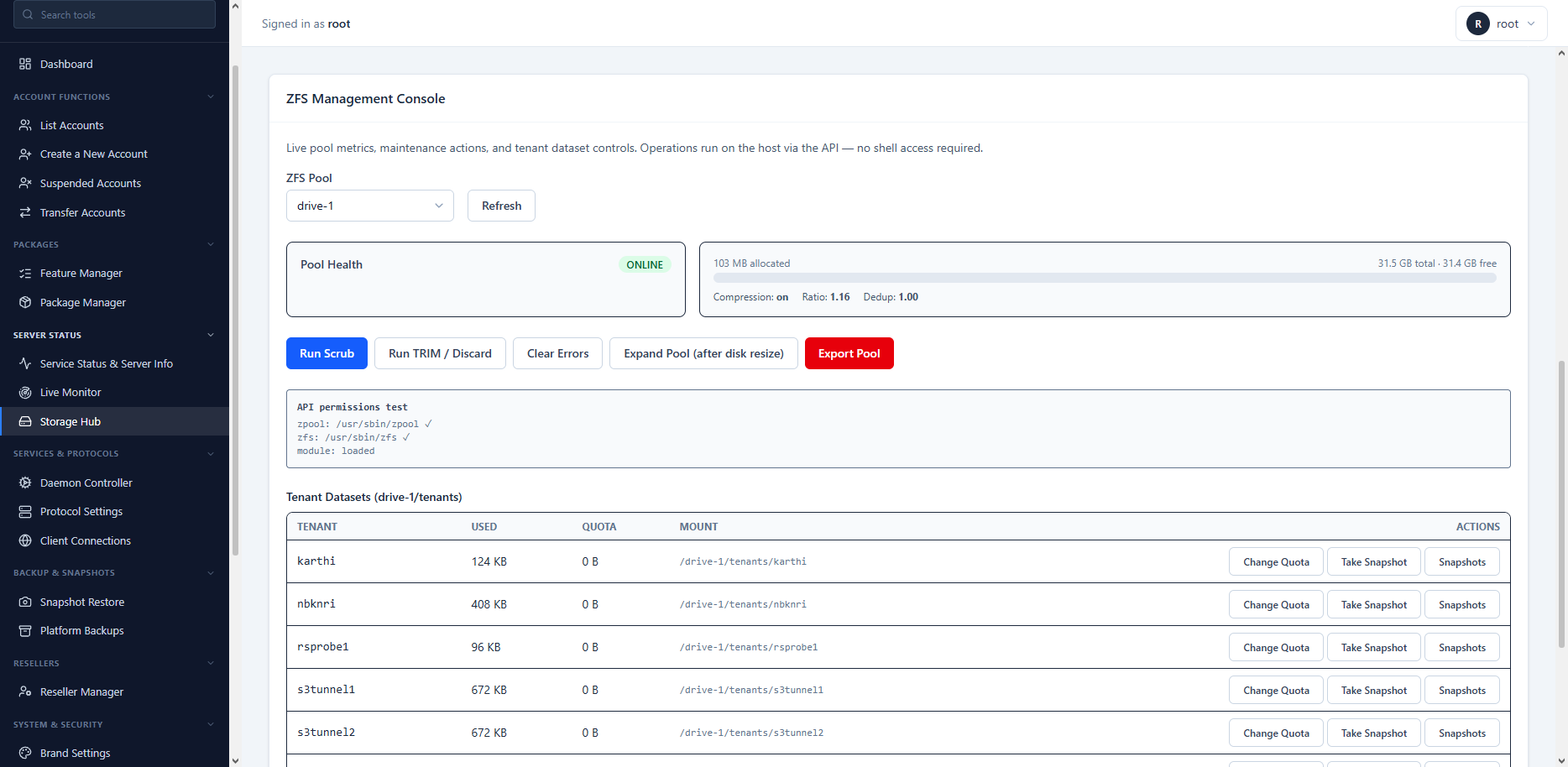
ZFS Storage Hub pool management
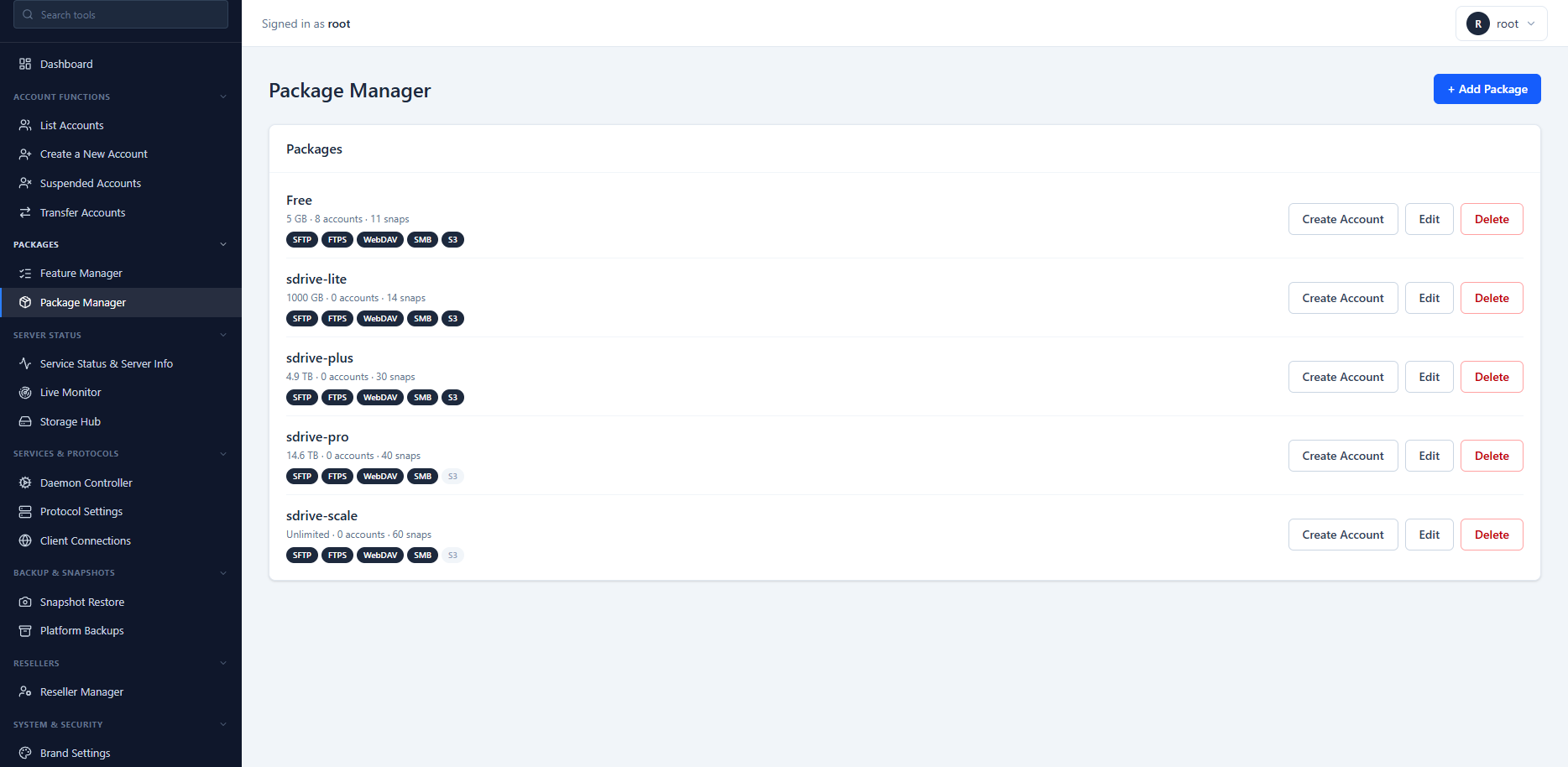
Storage package and quota templates
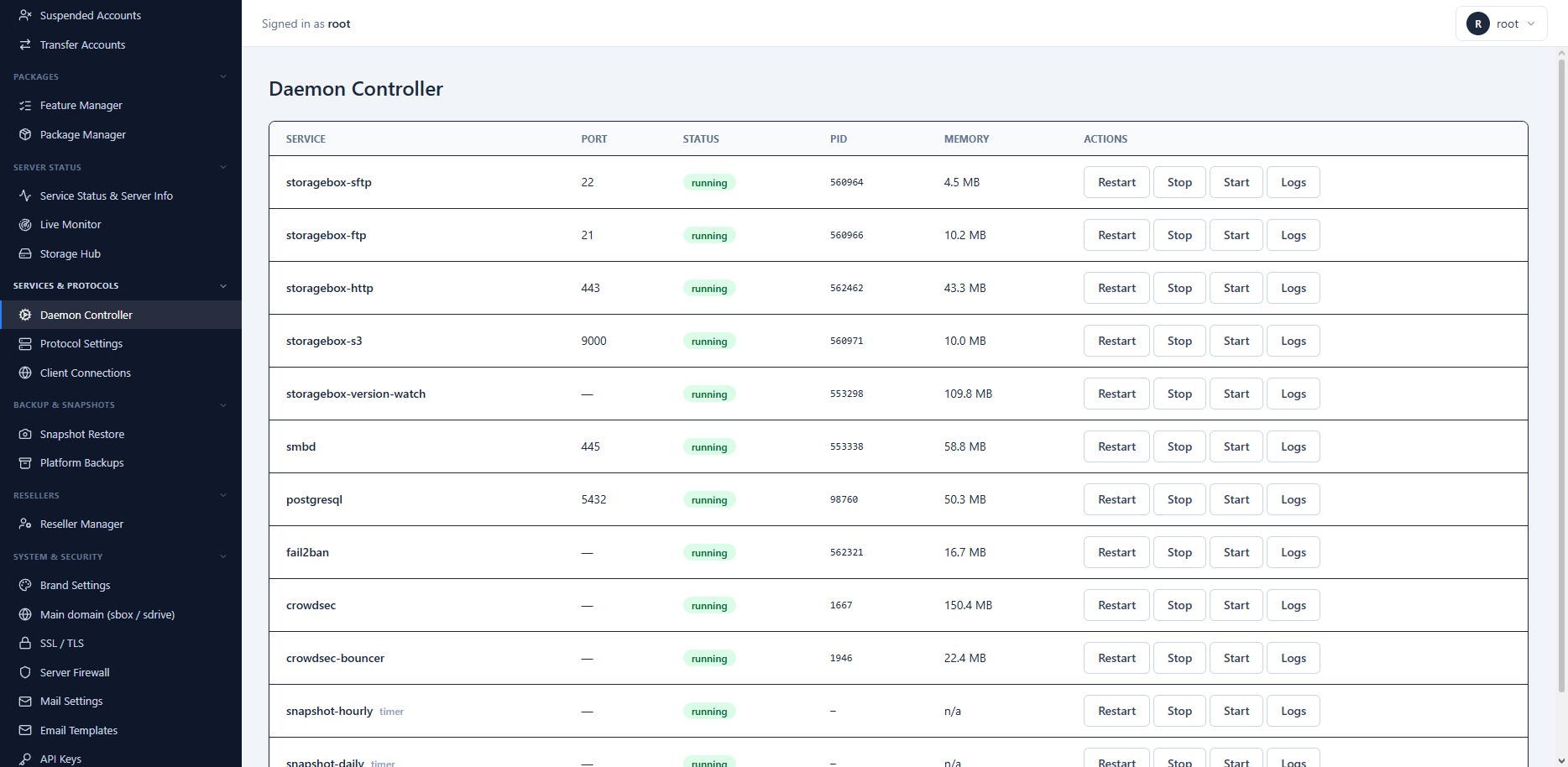
Multi-protocol service controller
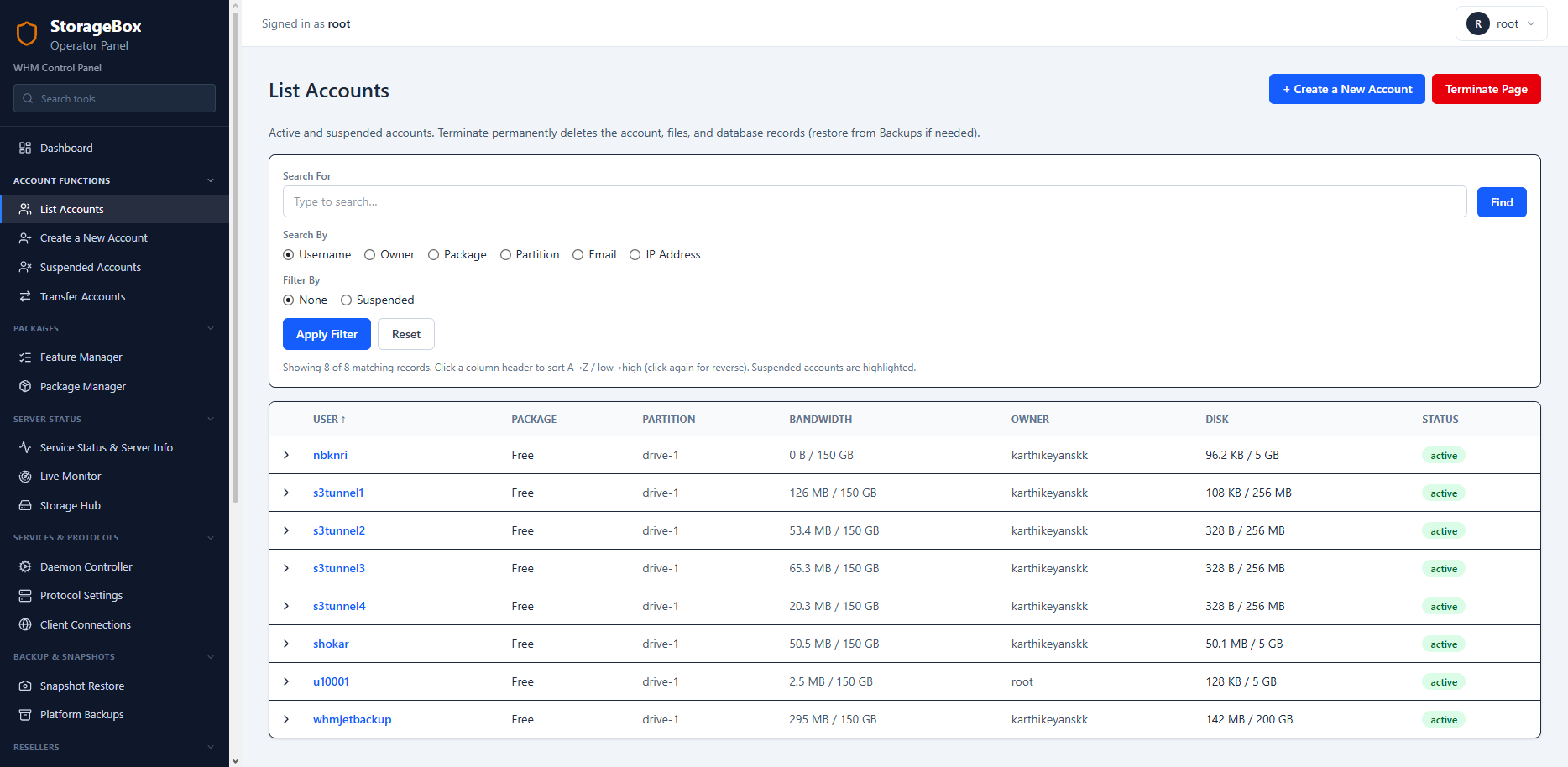
Tenant account list and lifecycle
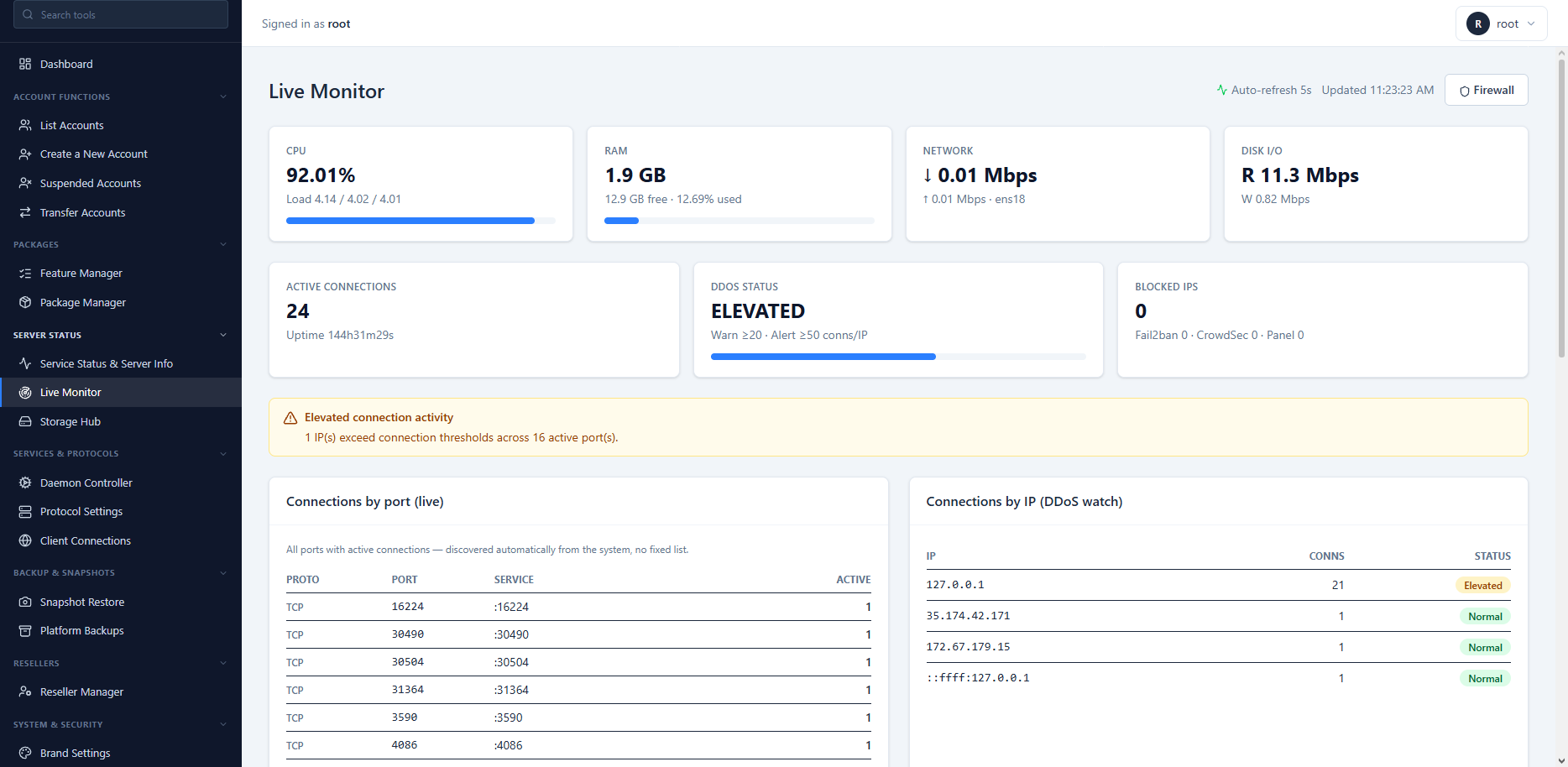
Live connection and throughput monitor
Client portal (Storage Drive)
What tenants use daily: file manager, snapshots, shares, sub-accounts, and usage dashboards.
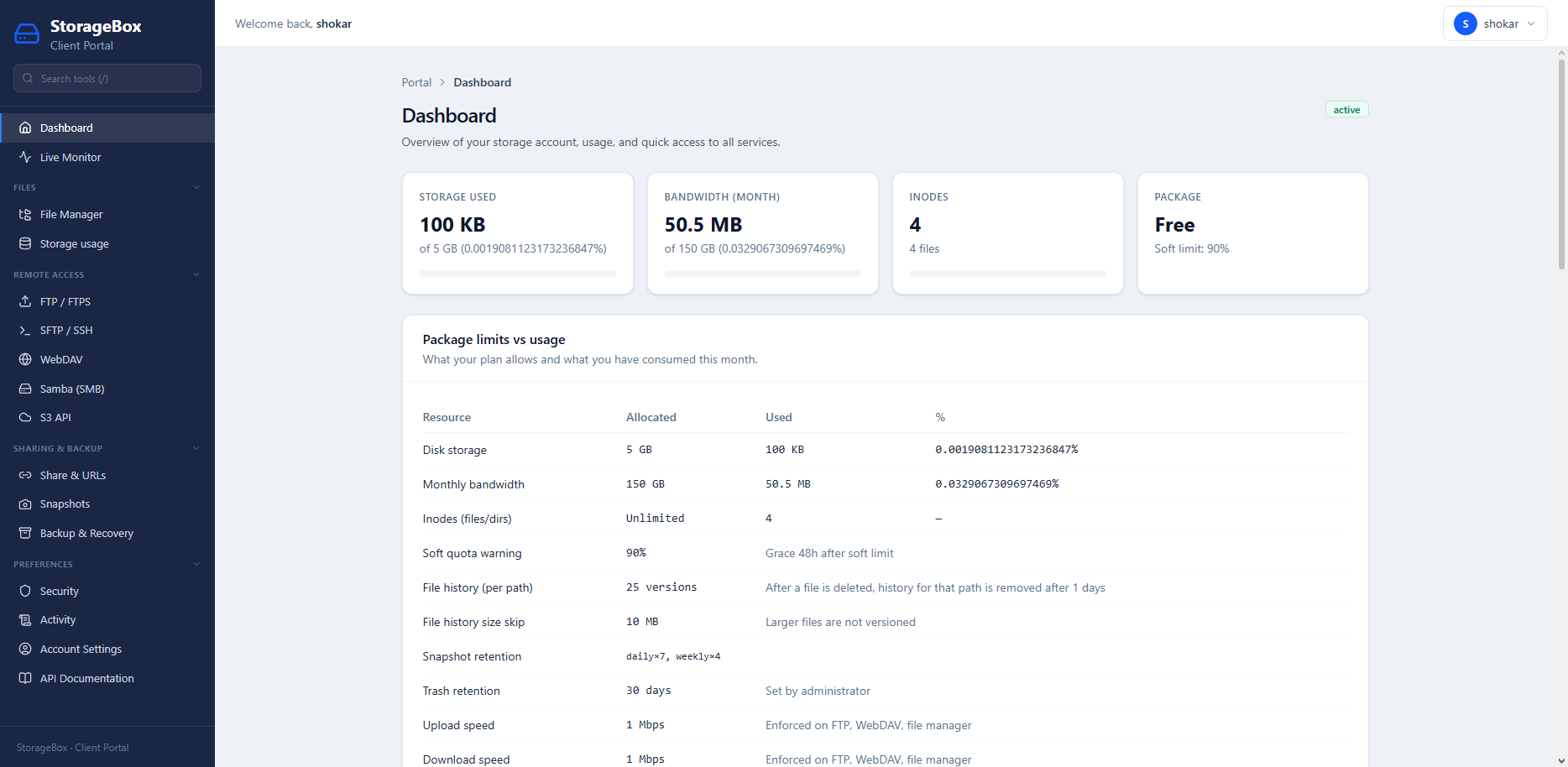
Storage Drive client dashboard
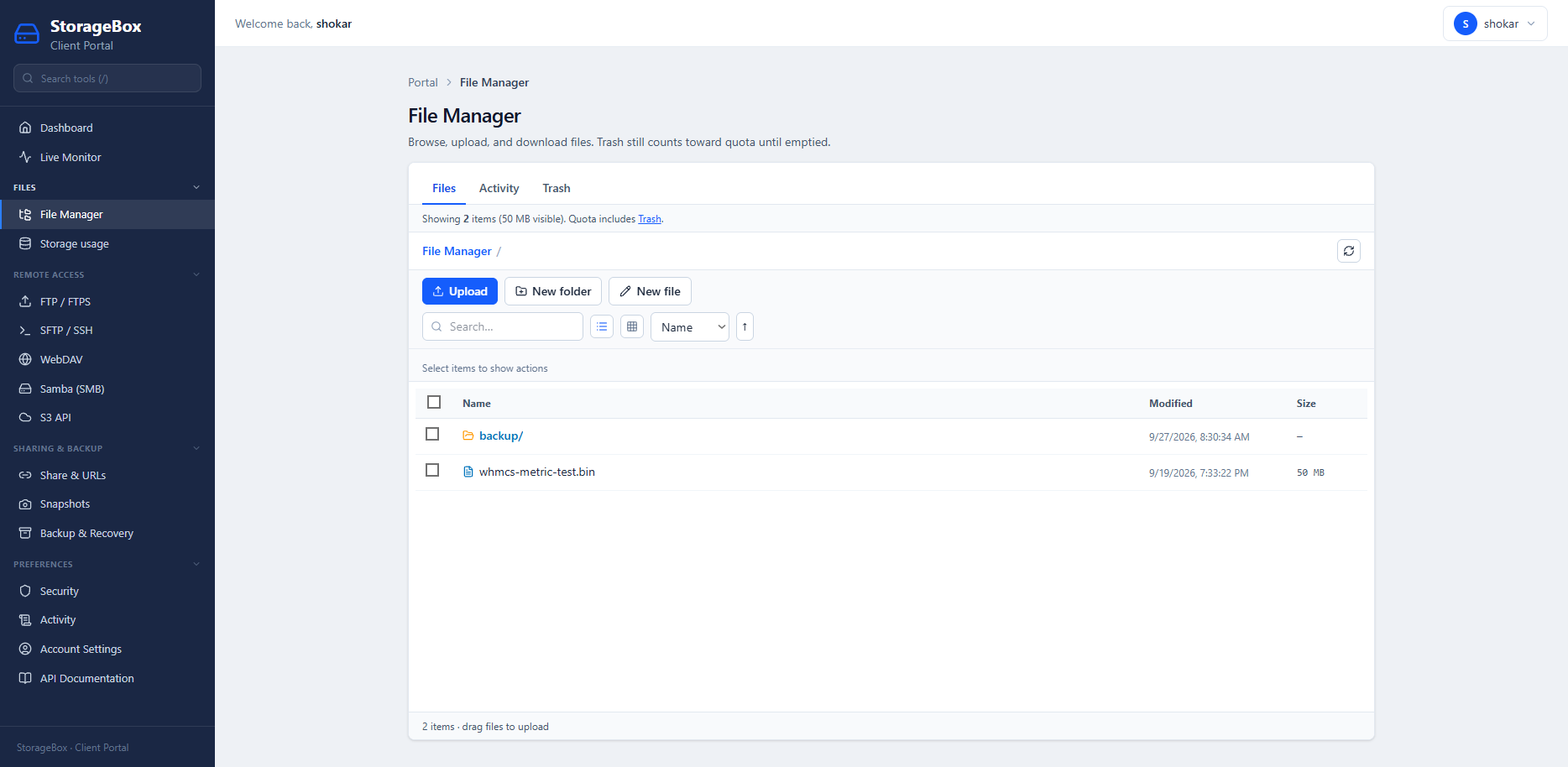
Web file manager
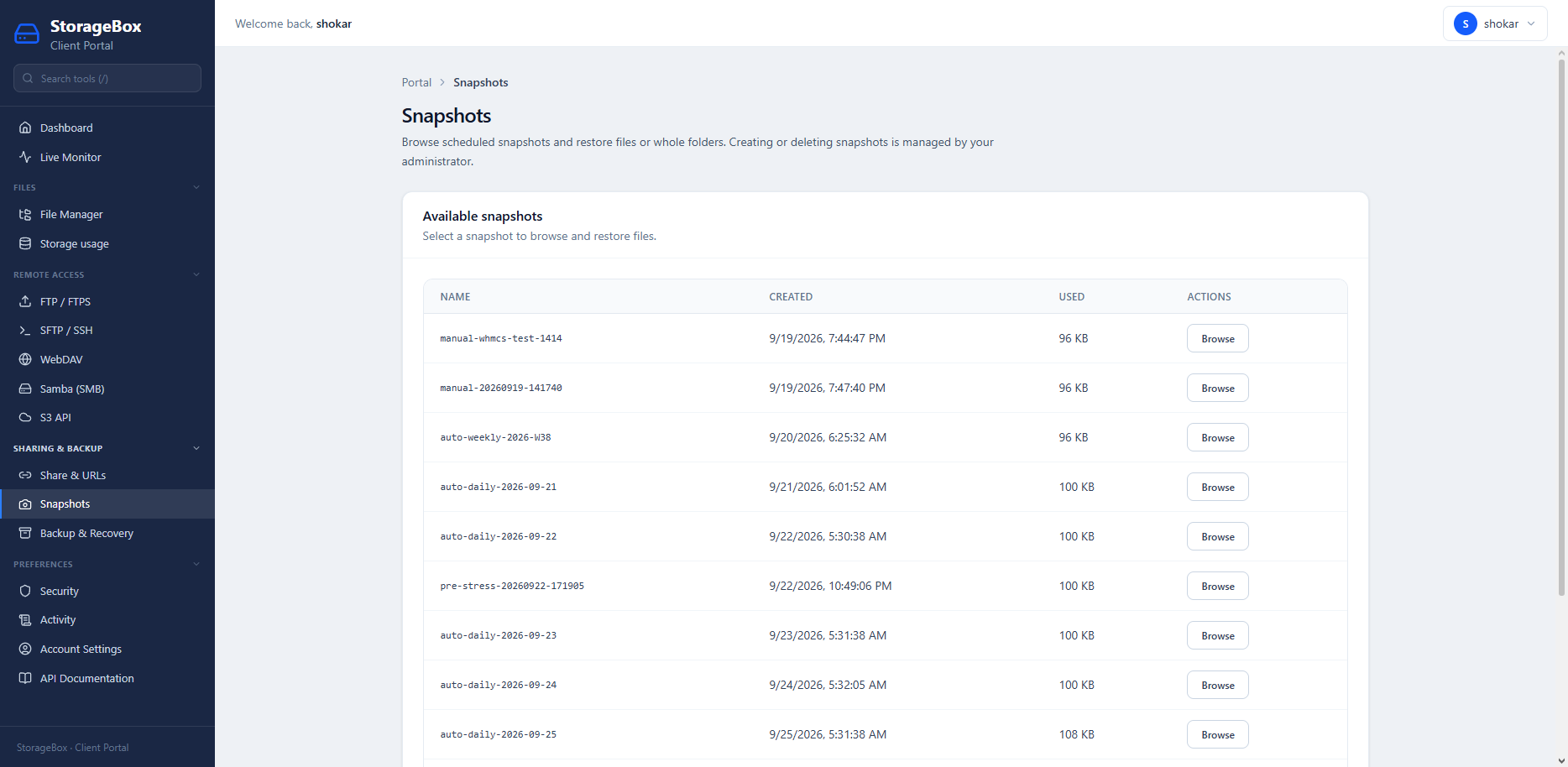
Snapshots and versioning
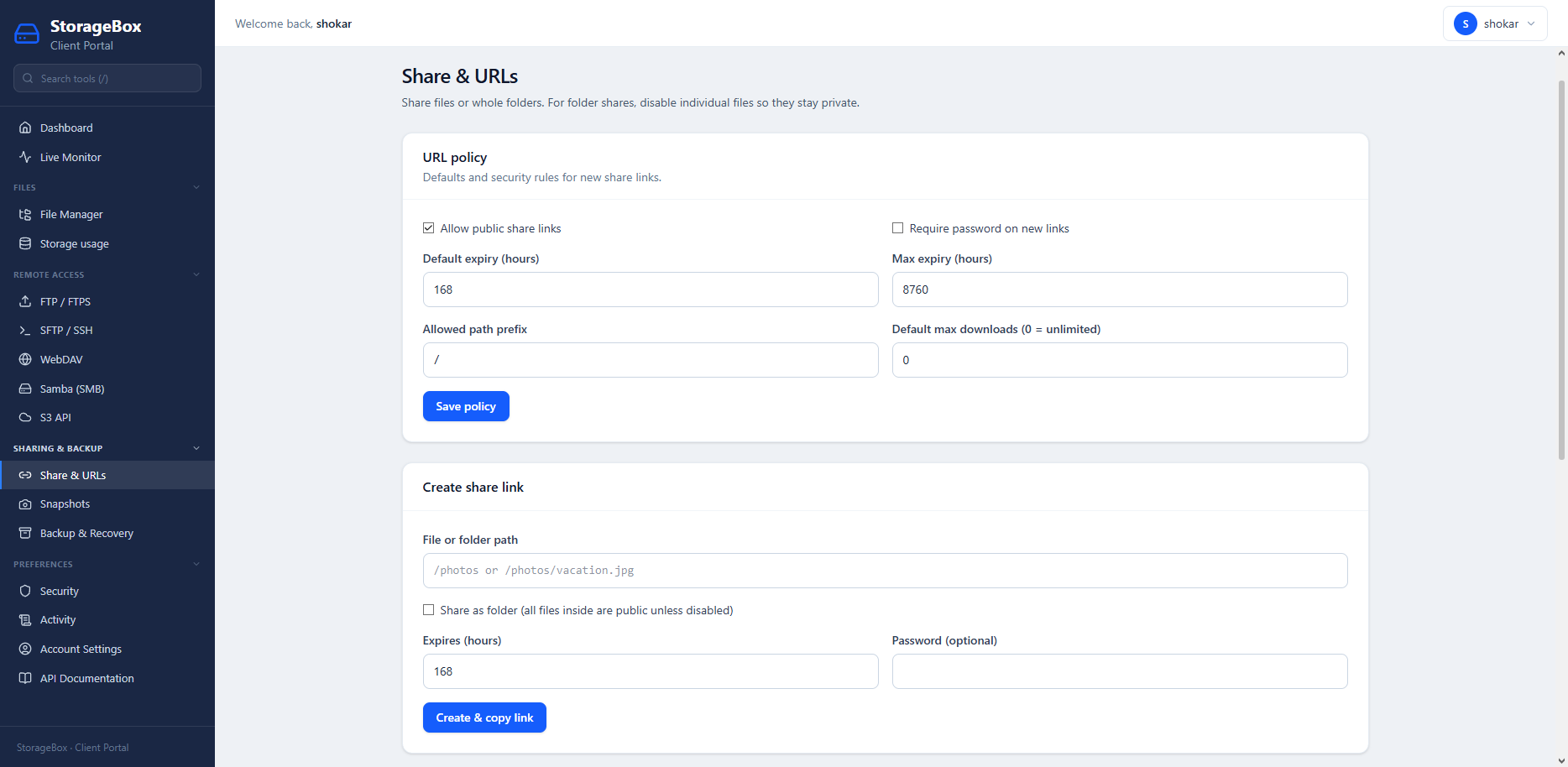
Share links and public URLs
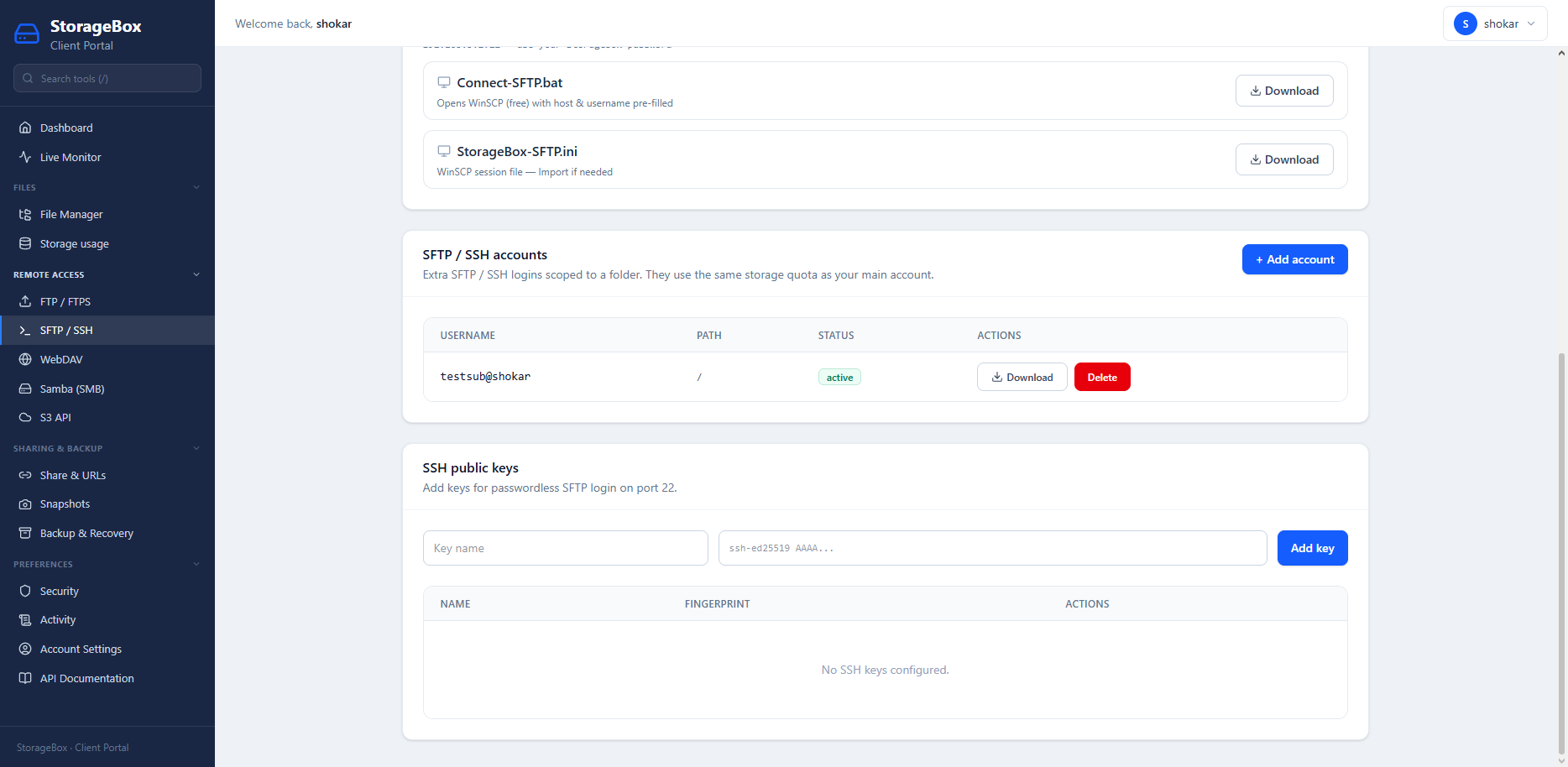
Sub-users and ACLs
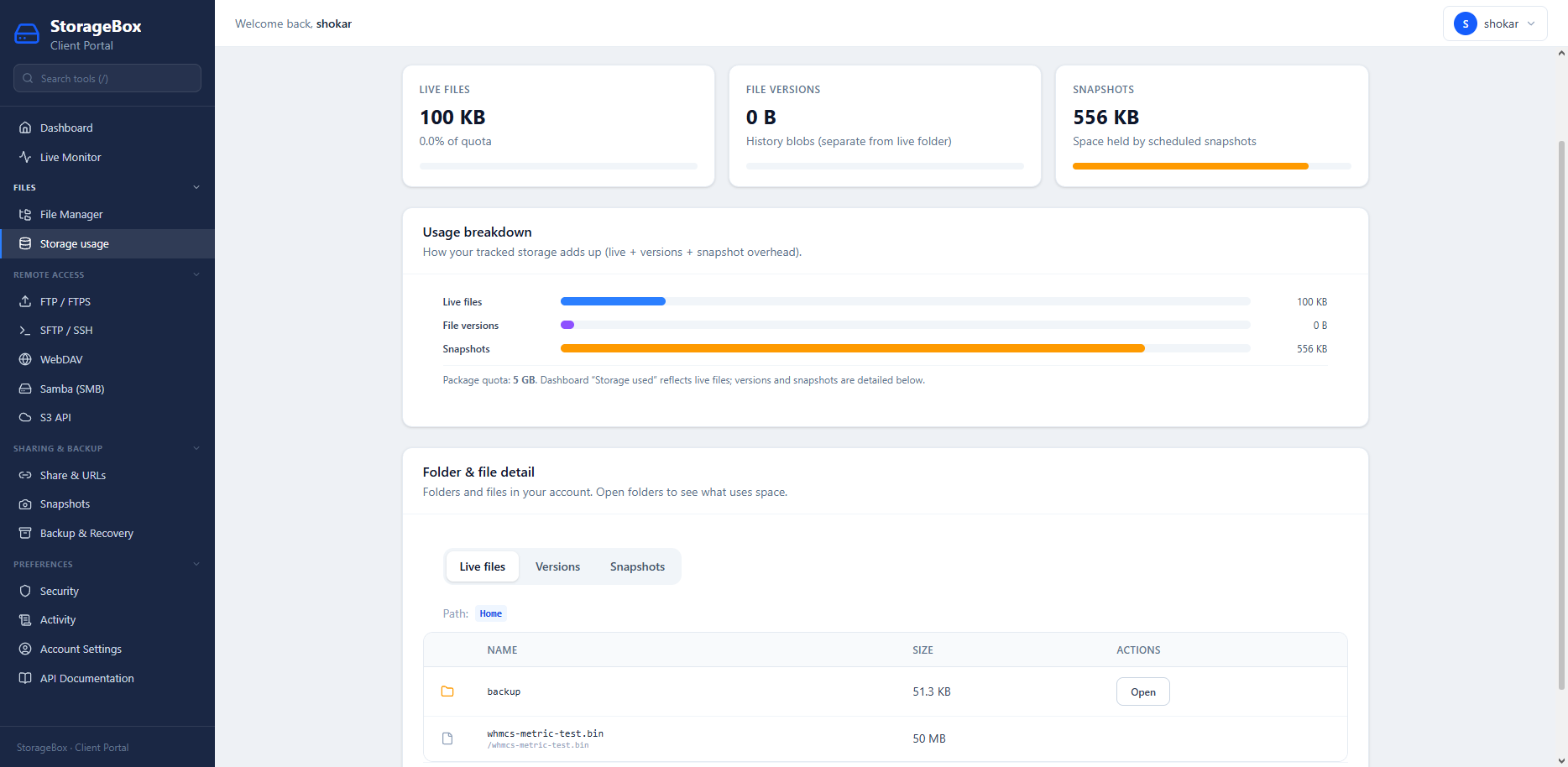
Storage usage and quotas
ShoStorage Engine — operator control plane
Licensed software you install on your Linux server. ShoStorage Engine is the admin stack: ZFS Storage Hub, packages, firewall, backups, WHMCS shostorage provisioning, and protocol services on one panel.
- ZFS pools, guest datasets, retention, and third-party disk backends
- Service connection settings for SFTP, FTP, WebDAV, SMB, and S3 endpoints
- Reseller and brand settings for white-label hosting providers
Storage Drive — what your customers see
End users get the Storage Drive client portal: file manager, snapshots, share URLs, sub-accounts, and activity — the same experience families know from hosted SDrive, but on your infrastructure.
WHMCS automation & CLI install
Pair the server license with the shostorage module for create, suspend, unsuspend, terminate, and SSO. Deploy with one command; pass --license for production.
- Trial: curl -fsSL https://files.shodns.in/storage/install | bash
- Licensed: same installer with your license key
- Not the same product as hosted SDrive plans at /sdrive
WHMCS shostorage module
Automate tenant lifecycle from your billing system — separate from the ShoStorage Engine license.
- Create, suspend, unsuspend, and terminate Storage Drive accounts from WHMCS products
- Package fields map to disk, inode, bandwidth, and protocol toggles
- Single sign-on into the client portal for end users
- API keys on the operator panel for custom integrations
One-line install
Trial and licensed installs use the same ShoHost installer script.
Trial
curl -fsSL https://files.shodns.in/storage/install | bashLicensed
curl -fsSL https://files.shodns.in/storage/install | bash -- --license YOUR_LICENSE_KEYServer requirements
| Platform | Linux x86_64, root access (VPS or bare metal) |
|---|---|
| Storage backend | ZFS Storage Hub recommended; local disk modes for labs |
| Install path | /usr/local/storagebox/ |
| API ports | 7473 (HTTP) / 7474 (HTTPS), configurable |
| Protocols | SFTP, SSH, FTP/FTPS, WebDAV, Samba SMB, S3-compatible API |
| Billing integration | WHMCS shostorage provisioning module |
ShoStorage Engine License Plans
License binds to one storage server IP. Includes installer, updates, and API verification — separate from customer-facing SDrive hosting plans.
Monthly Server License
$19.99
Per server / month- Full ShoStorage Engine control plane
- Unlimited tenants per licensed node
- WHMCS shostorage module compatible
- 15-day trial via install script
Lifetime Per-Server License
$149.00
One-time per server- Same features as monthly license
- Lifetime updates on licensed server
- Ideal for dedicated storage nodes
- License reissue & IP slot management
Deployment & Requirements
- Supported Linux x86_64 server with root access (dedicated VPS or bare metal)
- Trial install:
curl -fsSL https://files.shodns.in/storage/install | bash - Licensed install:
curl -fsSL https://files.shodns.in/storage/install | bash -- --license YOUR_KEY - ZFS recommended for Storage Hub snapshots and quotas
- Default API ports: 7473 (HTTP) / 7474 (HTTPS) — configurable after install
Deploy ShoStorage Engine on your infrastructure
License ShoStorage Engine, provision tenants with WHMCS, and offer Storage Drive to your customers — without reselling hosted SDrive.

ShoStorage Engine FAQs
How ShoStorage Engine relates to SDrive, protocols, and WHMCS.
Is this the same as SDrive?
No. SDrive is managed hosting sold per TB/month. ShoStorage Engine is software you install on your server to run your own storage business with the operator + client panels.
Which protocols are included?
SFTP/SSH, FTP/FTPS, WebDAV, Samba SMB, and S3-compatible API — enabled per tenant from the service controller.
Does WHMCS integrate out of the box?
Use the shostorage server module for automated provisioning, suspend/unsuspend, terminate, and client SSO into Storage Drive.
How is the license bound?
One active license per storage server IP. Reissue and IP changes are handled through your ShoHost client area.
Do I need ZFS?
ZFS Storage Hub is the recommended backend for snapshots, quotas, and pool management shown in the admin UI. Local disk modes exist for simpler lab installs.
How should I back up the control plane?
Back up /usr/local/storagebox/, ZFS pool configuration, and operator database exports before major upgrades. Tenant data lives on your Storage Hub datasets — include them in your disaster-recovery plan.